Grok Video Generator
Loading...
Grok Video Generator
Loading...

Discover the Grok Image Generator by xAI. This 2026 complete guide covers features, pricing, comparison with Midjourney/DALL-E, and how to use it.
The Grok image generator is an AI-powered visual creation tool developed by xAI, Elon Musk's artificial intelligence company. Integrated directly into the X platform (formerly Twitter) and available as a standalone application, Grok leverages the Aurora text-to-image model to transform simple text descriptions into stunning visual content.
Unlike traditional image creation tools that require artistic skills or complex software knowledge, the Grok image generator democratizes visual content creation. Users simply describe what they want to see, and the AI interprets these prompts to generate photorealistic images, artistic illustrations, or stylized visuals within seconds.
What sets the Grok image generator apart from competitors is its bold, expressive approach to AI-generated content. While platforms like DALL-E and Midjourney implement strict content filters, Grok takes a more permissive stance—offering both standard and "Spicy Mode" for creators who need less restrictive content generation capabilities.
Grok's journey into image generation began in August 2024 when xAI announced Grok-2 with integrated image generation using Flux by Black Forest Labs. By December 2024, xAI introduced Aurora, their proprietary text-to-image model, which garnered significant attention for its photorealistic capabilities and nuanced understanding of complex prompts.
In March 2025, xAI expanded Grok's capabilities further by adding image editing features, allowing users to upload existing photos and modify them through natural language descriptions. This evolution positions the Grok image generator as not just a creation tool, but a comprehensive visual content platform.

Join the Grok Video community
Subscribe for the latest Grok Video Generator news and updates
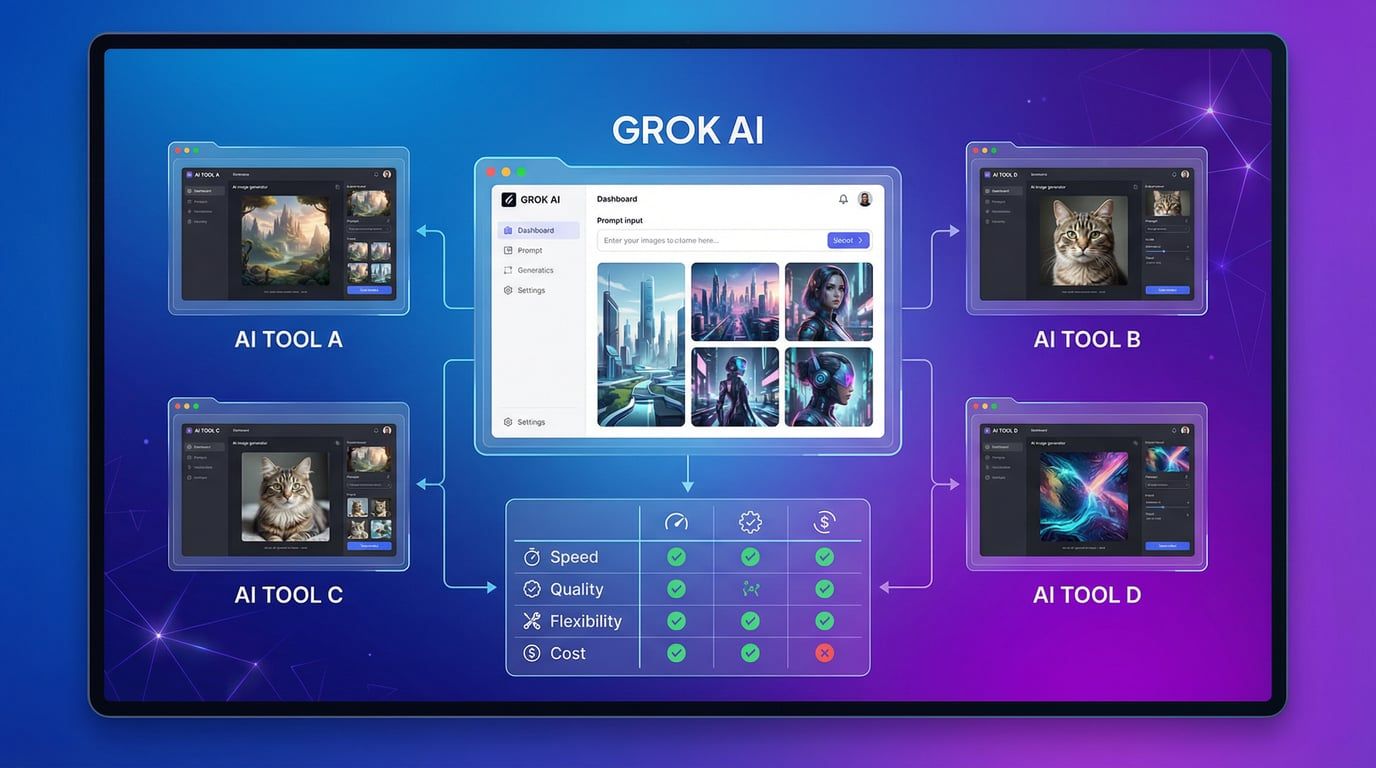
The Grok image generator operates on a sophisticated AI architecture that combines natural language processing with advanced image synthesis. Here's a breakdown of the technical process:
At the heart of Grok's image generation capabilities lies Aurora, xAI's proprietary text-to-image model. Aurora processes text prompts through multiple stages:
Prompt Analysis: The system analyzes your text description, identifying key elements like subjects, styles, lighting, composition, and mood
Semantic Understanding: Aurora interprets the contextual relationships between elements in your prompt
Image Synthesis: Using diffusion models, the AI generates images by progressively refining random noise into coherent visuals
Style Application: The model applies artistic styles, lighting effects, and compositional rules based on your specifications
The Grok image generator supports various technical parameters that influence output quality:
Resolution: Generates images up to 2 megapixels with various aspect ratios
Text Rendering: Superior typography handling compared to earlier AI models
Processing Speed: Typically generates images within 10-30 seconds depending on complexity
Context Memory: Maintains conversation context for iterative refinement
The primary functionality allows users to create entirely new images from text descriptions. Whether you need:
Photorealistic portraits
Abstract artistic compositions
Product mockups
Architectural visualizations
Fantasy landscapes
Marketing visuals
The Grok image generator handles diverse creative requirements with impressive accuracy.
One of the most powerful features is image-to-image conversion, where you upload an existing image and describe how you want it modified. This capability opens doors for:
Style transfers (converting photos to paintings, sketches, or other artistic styles)
Object replacement or removal
Background swapping
Lighting adjustments
Color palette modifications
For creators who need advanced image-to-image capabilities with more control, platforms like this image-to-image tool offer additional customization options and fine-tuning features.
Grok Imagine extends beyond static images by offering short video generation capabilities. Users can:
Animate still images with subtle motion effects
Create looping videos for social media
Add dynamic elements like moving clouds, flowing water, or drifting particles
Generate 6-15 second clips with synchronized audio
This feature transforms static visuals into engaging content perfect for TikTok, Instagram Reels, or promotional materials.
The Grok image generator offers several modes to match different creative needs:
Standard Mode: Balanced approach with content moderation
Spicy Mode: Less restrictive generation for mature audiences (requires age verification and Premium+ subscription)
Fast Mode: Quick generation for rapid prototyping
Expert Mode: Enhanced detail and photorealism for professional projects
Recent updates introduced voice prompt support, allowing users to describe images verbally rather than typing. This hands-free approach streamlines the creative process, particularly useful when multitasking or working on mobile devices.
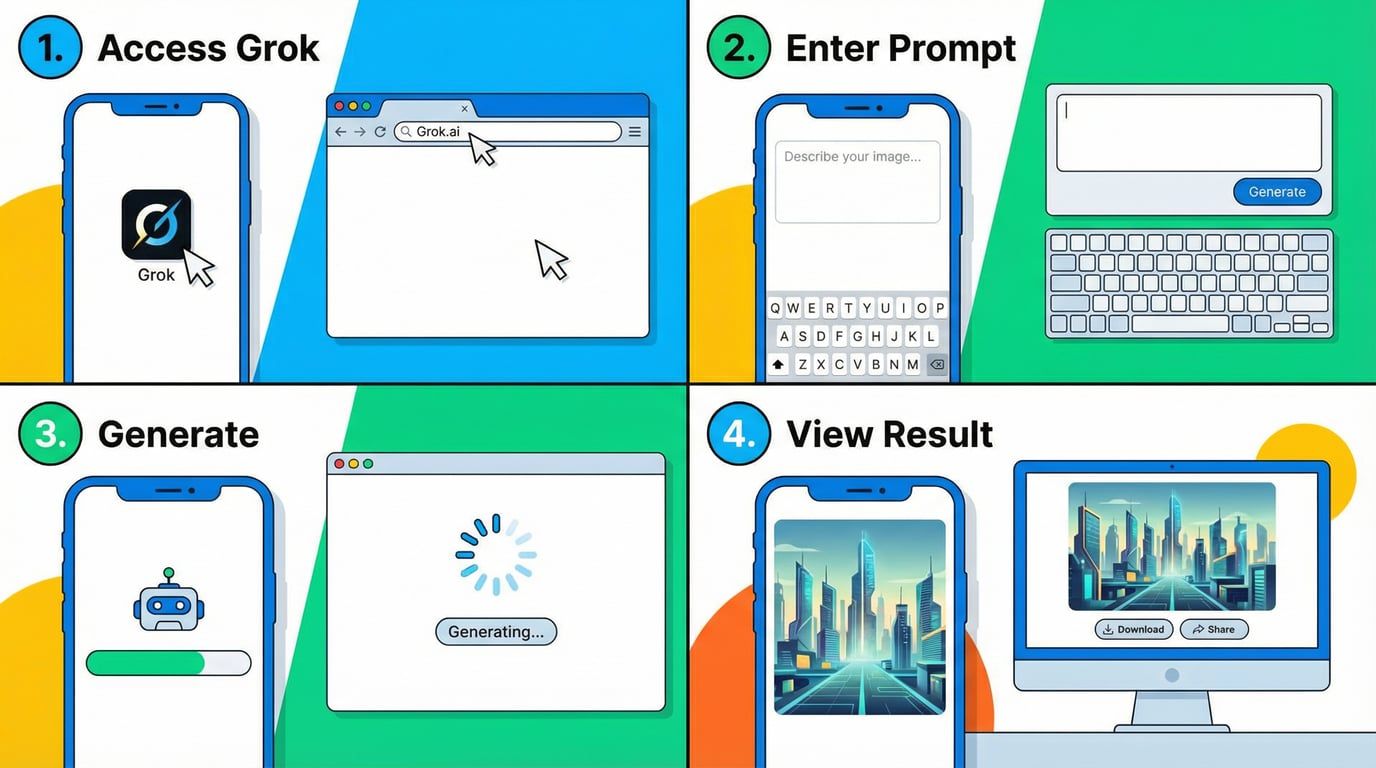
Before generating images with Grok, ensure you have:
X Account: A valid X (Twitter) account
Subscription: X Premium ($16/month) or Premium+ subscription
App Access: The latest version of the X app (iOS/Android) or access to grok.com
Age Verification: Must be 18+ for unrestricted features
Step 1: Access Grok
Open the X app or website
Navigate to the Grok tab (typically found in the main navigation menu)
Alternatively, tag @grok in a post for image generation (paid subscribers only as of January 2026)
Step 2: Navigate to Image Generation
Select the "Imagine" section within Grok
Choose between generating new images or editing existing ones
Step 3: Craft Your Prompt
Write a detailed description of your desired image
Include specific details about:
Subject matter and composition
Lighting and atmosphere
Color palette
Artistic style
Mood and emotion
Step 4: Generate and Refine
Submit your prompt and wait 10-30 seconds
Review the generated image
Use the "Regenerate" option for variations
Refine your prompt based on initial results
Step 1: Download and Install
Visit the App Store (iOS) or Google Play (Android)
Search for "Grok" or "xAI Grok"
Download and install the application
Step 2: Sign In
Open the Grok app
Sign in with your X credentials
Verify your subscription status
Step 3: Access Imagine Features
Tap the "Imagine" icon in the main interface
Select "Create Image" or "Edit Image"
Step 4: Create Your Visual
Enter your text prompt or upload an image for editing
Adjust generation settings (aspect ratio, style, mode)
Tap "Generate" and wait for results
For users who prefer desktop creation, the web interface at grok.com offers the same functionality with a larger workspace:
Navigate to grok.com
Log in with X credentials
Select "Imagine" from the sidebar
Enter prompts and generate images with full-screen preview
For those seeking alternative platforms with different feature sets, this AI image generator provides complementary tools that work alongside Grok's capabilities.
| Tier | Monthly Cost | Image Generation | Video Generation | Priority Access | Special Features |
|---|---|---|---|---|---|
| Free | $0 | Limited/None | No | No | Basic text chat only |
| X Premium | $16 | Yes (limited) | Yes (limited) | Standard | Standard image quality |
| X Premium+ | $16-$30 | Unlimited* | Yes | High | Spicy Mode, priority generation |
| SuperGrok | $30 | Enhanced | Yes | Very High | Premium Imagine model, 128K tokens |
| SuperGrok Heavy | $300 | Unlimited | Yes | Highest | Exclusive Grok 4 Heavy, 428K tokens |
*Subject to fair use algorithm during peak hours
| Feature | Availability | Quality Level | Speed |
|---|---|---|---|
| Text-to-Image | All paid tiers | High | 10-30 sec |
| Image-to-Image | Premium+ | Very High | 15-45 sec |
| Image-to-Video | Premium+ | High | 30-60 sec |
| Voice Prompts | All paid tiers | High | 15-30 sec |
| Batch Generation | SuperGrok+ | High | Varies |
| Custom Aspect Ratios | All paid tiers | High | 10-30 sec |
| Typography Rendering | All paid tiers | Excellent | 10-30 sec |
| Photorealism | Premium+ | Excellent | 20-45 sec |
| Platform | Model | Strengths | Weaknesses | Best For |
|---|---|---|---|---|
| Grok (Aurora) | Proprietary | Photorealism, fewer restrictions, text rendering | Content moderation controversies | Unrestricted creative projects |
| DALL-E 3 | OpenAI | High-quality outputs, strong safety | Limited style flexibility | Commercial projects |
| Midjourney | Proprietary | Artistic styles, community | Requires Discord, learning curve | Artistic illustrations |
| Stable Diffusion | Open source | Customizable, free options | Technical knowledge required | Developers, researchers |
| Adobe Firefly | Proprietary | Commercial safety, integration | Less creative freedom | Enterprise content |
| Google Gemini | Proprietary | High resolution (2K-4K), integration | Occasional blurriness | Content requiring high resolution |
Prompt Adherence: How accurately does each platform follow complex instructions?
Grok: 85-90% accuracy for detailed prompts
DALL-E 3: 90-95% accuracy with improved prompt following
Midjourney: 80-85% accuracy, artistic interpretation
Gemini: 85-88% accuracy with occasional creative liberties
Generation Speed: Average time to produce a single image
Grok: 10-30 seconds
DALL-E 3: 20-40 seconds
Midjourney: 30-60 seconds
Stable Diffusion: 5-20 seconds (local) / 20-40 seconds (cloud)
Content Flexibility: Range of content types allowed
Grok: Very High (controversial for lack of restrictions)
DALL-E 3: Moderate (strong content filtering)
Midjourney: Moderate-High (community guidelines)
Stable Diffusion: Very High (open source, unfiltered)
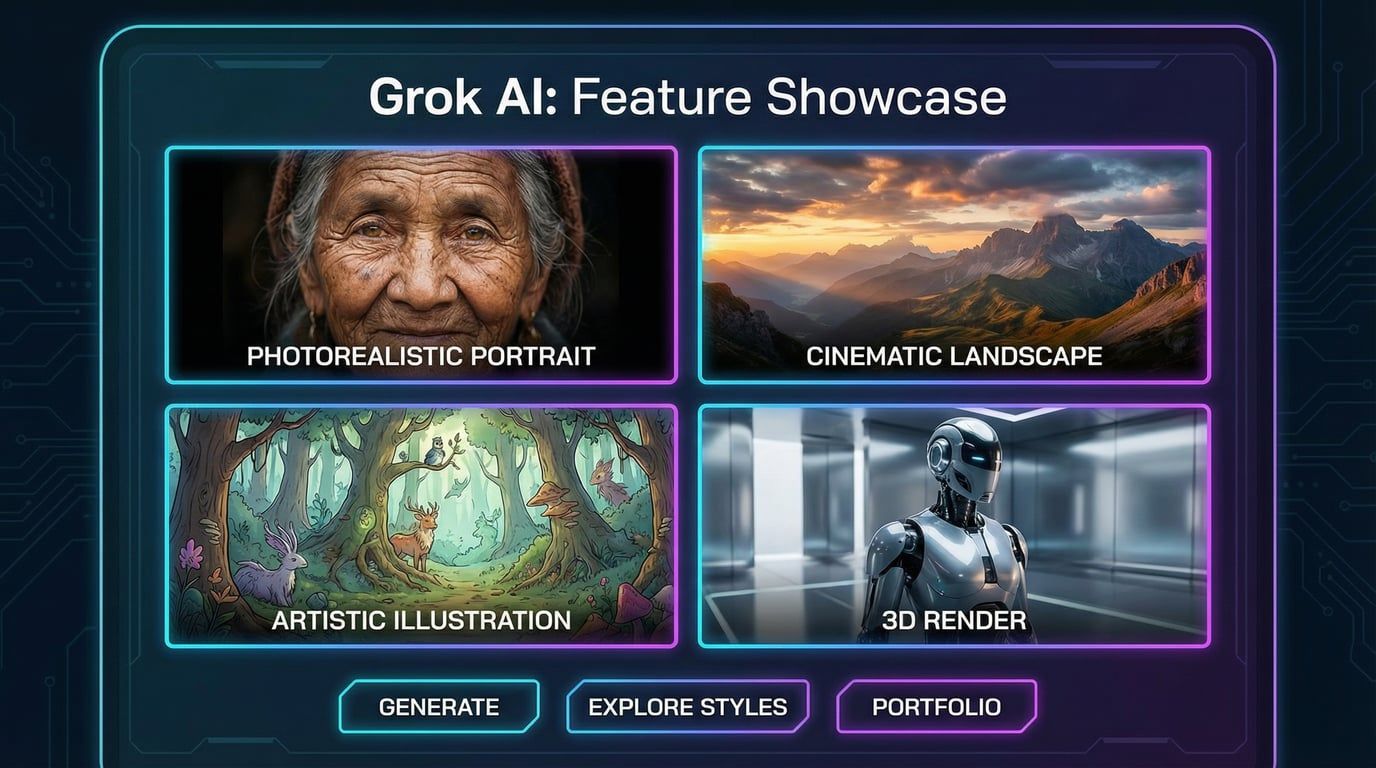
Content creators leverage the Grok image generator to produce engaging visuals for:
Instagram posts and stories
Twitter/X visual tweets
TikTok thumbnails and backgrounds
Facebook promotional graphics
LinkedIn professional imagery
Case Study: Marketing agencies report reducing visual content production time by 70% using Grok for social media campaigns, generating dozens of variations for A/B testing within minutes.
E-commerce businesses and product designers use Grok to:
Create product presentation mockups
Visualize concepts before physical prototyping
Generate lifestyle imagery showing products in use
Design packaging concepts
Create advertising materials
Artists and designers integrate Grok into their workflows for:
Concept art development
Character design exploration
Environment and landscape creation
Style experimentation
Inspiration gathering
Educators and presenters utilize Grok to generate:
Custom diagrams and illustrations
Historical scene reconstructions
Scientific visualizations
Presentation graphics
Educational infographics
Digital marketers and bloggers rely on Grok for:
Featured blog images
Infographic components
Email newsletter graphics
Ebook covers
Website hero images
Entrepreneurs use Grok to quickly visualize:
App interface concepts
Website design mockups
Branding explorations
Pitch deck imagery
MVP presentations
Despite its impressive capabilities, the Grok image generator has several constraints:
1. Rate Limits
Even "unlimited" tiers face fair-use throttling during peak hours
Failed generations count against your limit
Heavy users experience slowdowns
2. Resolution Constraints
Maximum output typically limited to 2 megapixels
Lower than some competitors offering 4K generation
May require upscaling for large-format printing
3. Anatomical Accuracy Issues
Struggles with complex hand positions
Inconsistent foot rendering (particularly with fantasy creatures)
Occasional proportion problems with multiple figures
4. Video Generation Limitations
Short duration (6-15 seconds maximum)
Limited motion complexity
Cannot create full narrative sequences
Morphing artifacts during animation
The Grok image generator has faced significant criticism and regulatory scrutiny:
1. Non-Consensual Content Generation
Platform was used to create sexualized images of real individuals without consent
Generated inappropriate imagery involving minors
Sparked investigations from regulators in UK, EU, Malaysia, and India
2. Regulatory Response
xAI implemented restrictions in January 2026
Image generation limited to paid subscribers
Location-based blocking in certain jurisdictions
Enhanced content moderation systems
3. Ongoing Concerns
Critics argue restrictions don't go far enough
Standalone Grok app initially maintained fewer restrictions
Ethical debates continue around AI-generated imagery
Unlike some competitors offering free tiers, Grok requires:
Paid X subscription ($16-$300/month depending on tier)
Active X account
Age verification for full features
Geographic availability (not worldwide)
1. Be Specific and Descriptive
Instead of: "A dog in a park"
Try: "A golden retriever playing with a red frisbee in a sunny urban park, dappled sunlight through trees, shallow depth of field, Canon 5D photography style"
2. Include Technical Photography Terms
Enhance realism by using:
Lighting: "golden hour," "soft diffused lighting," "dramatic rim light"
Camera specs: "35mm lens," "f/1.8 aperture," "bokeh background"
Composition: "rule of thirds," "leading lines," "symmetrical composition"
3. Specify Artistic Style
Reference specific styles or artists:
"In the style of Studio Ghibli animation"
"Renaissance oil painting aesthetic"
"Cyberpunk neon noir atmosphere"
"Minimalist Scandinavian design"
4. Break Complex Scenes into Elements
For complex compositions:
Define foreground, middle ground, and background separately
Specify relationships between elements
Describe lighting interactions
Detail color palette coordination
Step 1: Start Simple
Begin with a basic prompt to establish core concept
Evaluate what Grok interprets correctly
Step 2: Layer Details
Gradually add specificity in subsequent generations
Focus on one aspect at a time (lighting, then composition, then details)
Step 3: Use Variations
Generate multiple versions of successful prompts
Identify patterns in what works
Build a personal prompt library
Step 4: Combine Successful Elements
Merge components from different successful generations
Create hybrid prompts using best-performing keywords
For Photorealism:
Include: Camera specs, lighting conditions, realistic setting details
Avoid: Artistic style references, fantasy elements
Example: "Professional headshot, soft studio lighting, neutral gray background, 85mm portrait lens, natural skin tones, business casual attire"
For Artistic Illustrations:
Include: Art movement, medium, color palette, mood
Avoid: Photographic technical terms
Example: "Watercolor illustration, pastel color palette, whimsical children's book style, soft edges, dreamy atmosphere"
For Marketing Materials:
Include: Brand colors, specific product details, lifestyle context, target emotion
Avoid: Overly complex scenes
Example: "Modern tech product on minimalist desk, morning sunlight, blue and white color scheme, professional office setting, clean composition"
Mobile Best Practices:
Use voice prompts for hands-free generation
Focus on portrait-oriented compositions for social media
Generate smaller batches to avoid app crashes
Enable NSFW settings on mobile for Spicy Mode access
Desktop Advantages:
Larger preview workspace
Easier prompt editing and refinement
Better for detailed image analysis
Smoother batch generation workflows
While respecting fair use policies:
Schedule Generation During Off-Peak Hours
Generate images during early morning or late evening
Avoid peak usage times (typically 9 AM - 5 PM EST)
Batch Similar Requests
Group related image needs together
Use variations feature instead of completely new generations
Plan weekly content in single sessions
Optimize Prompt Efficiency
Get desired results in fewer attempts through better prompting
Use reference images when available
Build prompt templates for common needs
Create superior results by integrating Grok into broader workflows:
Image Enhancement Pipeline:
Generate base image in Grok
Upscale using Topaz Gigapixel or similar tools
Fine-tune in Photoshop or GIMP
Apply final color grading
Video Content Workflow:
Generate keyframes in Grok
Animate transitions in After Effects or Runway ML
Add sound design and voiceover
Export for social media platforms
Marketing Asset Creation:
Create concept in Grok
Generate variations for A/B testing
Optimize for platform specifications
Track performance metrics
No, the Grok image generator requires a paid X Premium subscription starting at $16/month. Free X accounts have extremely limited or no access to image generation features as of January 2026.
This depends on your subscription tier:
X Premium: Limited daily generations (exact number varies)
Premium+: "Unlimited" with fair use throttling during peak hours
SuperGrok: Enhanced limits with priority access
SuperGrok Heavy: Highest allocation with fastest generation
Failed generations count against your limits.
xAI's terms of service grant users rights to use generated images, but you should:
Review current terms at grok.com
Consider trademark and copyright implications if using recognizable elements
Be aware that AI-generated images may have limited legal protections
Consult legal counsel for commercial projects involving substantial revenue
Grok Advantages:
Faster generation times
Better text rendering in images
Integrated with X platform
Less restrictive content policies
Simpler prompt structure
Midjourney Advantages:
More artistic and stylized outputs
Stronger community and shared learning
More established reputation
Better for illustration and fantasy art
Choose based on your specific needs: Grok for photorealism and speed, Midjourney for artistic interpretation.
Spicy Mode has specific requirements:
Must have X Premium+ subscription
Age verification (18+) completed in profile
NSFW settings enabled in app preferences
Using mobile app (iOS/Android), not web interface
Not located in jurisdictions where it's blocked
If settings are correct, try force-closing the app twice (Android) or reinstalling (iOS).
Technically yes, but with significant ethical and legal considerations:
Creating images of real people without consent is ethically problematic
Many jurisdictions have laws against non-consensual intimate imagery
xAI has implemented restrictions following regulatory pressure
Such usage violates platform terms of service
Creating images of public figures for commentary, parody, or editorial purposes may be acceptable, but consult legal guidance.
No, Grok requires internet connectivity as processing occurs on xAI's servers. There is no offline mode or local installation option.
Grok typically exports images in:
JPEG: Standard format for most generations
PNG: Available for images requiring transparency
Download options appear below generated images in the interface.
To enhance output quality:
Use specific, detailed prompts
Reference technical photography terms
Specify desired resolution and aspect ratio
Use Premium+ or SuperGrok tiers for best model access
Generate during off-peak hours for full processing allocation
Refine prompts iteratively rather than starting over
Yes, Grok includes image editing capabilities:
Upload an existing image
Describe desired modifications
Grok applies changes while preserving base image elements
This feature was added in March 2025 and works on both mobile and desktop.
The next likely enhancements are:
1. Extended Video Duration
Current 6-15 second limitation likely to expand
Potential for minute-long generations by late 2026
Enhanced motion coherence and scene consistency
2. 3D and Spatial Content
Integration with Apple Vision Pro and Meta Quest
Generation of 3D assets for virtual environments
Spatial video with depth information
3. Multi-Image Consistency
Character consistency across multiple generations
Story boarding tools for sequential imagery
Brand style locking for marketing teams
4. API Access Expansion
Broader API availability (currently limited)
Developer tools for integration
Automated workflow capabilities
5. Enhanced Control Features
Inpainting and outpainting tools
Precise element positioning
Style transfer improvements
Pose control for human figures
The AI image generation market is rapidly evolving:
Market Growth: Projected to reach $66.62 billion by end of 2025
Increased Competition: New models launching quarterly
Regulatory Pressure: Governments worldwide implementing AI content regulations
Ethical Standards: Industry moving toward stronger safeguards
Grok's position in this landscape will depend on balancing innovation with responsibility, maintaining technical excellence while addressing legitimate concerns about content safety.
The Grok image generator represents a powerful tool for visual content creation, offering exceptional photorealism, fast generation speeds, and unique features like image-to-video animation. Its integration with the X platform provides seamless workflow for social media creators, while standalone app and web access cater to diverse user preferences.
Choose Grok if you:
Need fast, photorealistic image generation
Create content for X/Twitter regularly
Value fewer creative restrictions
Require superior text rendering in images
Want integrated image-to-video capabilities
Prefer natural language editing of existing images
Consider alternatives if you:
Need completely free image generation
Prioritize artistic illustration over photorealism
Require guaranteed commercial usage rights
Work in heavily regulated industries
Need ultra-high resolution (4K+) outputs
Prefer open-source solutions
For creators seeking to expand their AI image toolkit beyond Grok, exploring complementary platforms can provide additional capabilities and creative options. Tools like advanced AI image generators offer different features that work alongside Grok's strengths, while specialized image-to-image transformation tools provide enhanced control for specific editing workflows.
The Grok image generator continues evolving rapidly, with xAI regularly introducing new features and improvements. Whether you're a social media creator, digital marketer, designer, or entrepreneur, understanding how to effectively leverage this tool can significantly enhance your visual content creation capabilities in 2026 and beyond.
As AI image generation technology matures, the key to success lies not just in accessing the most powerful tools, but in developing the skills to prompt effectively, refine iteratively, and integrate AI-generated assets into broader creative workflows. The Grok image generator provides the raw capability—your creativity and strategic application will determine the results.